Sign in with Microsoft
Use the account you already use for Azure DevOps. There’s no new password.
Sign in with Microsoft, connect Azure DevOps and start with one team. Everyone else works as usual.
There’s nothing to map. Your process comes from Azure DevOps, and setup suggests the first three steps.
Use the account you already use for Azure DevOps. There’s no new password.
Pick your organization. DevOps Studio reads your process: work item types, where criteria live and the approved state.
Pick a team and a starter flow. Other teams won’t see any change.
Each team admin picks which tools run as work moves. Members suggest changes, and any change can be undone for 30 days.
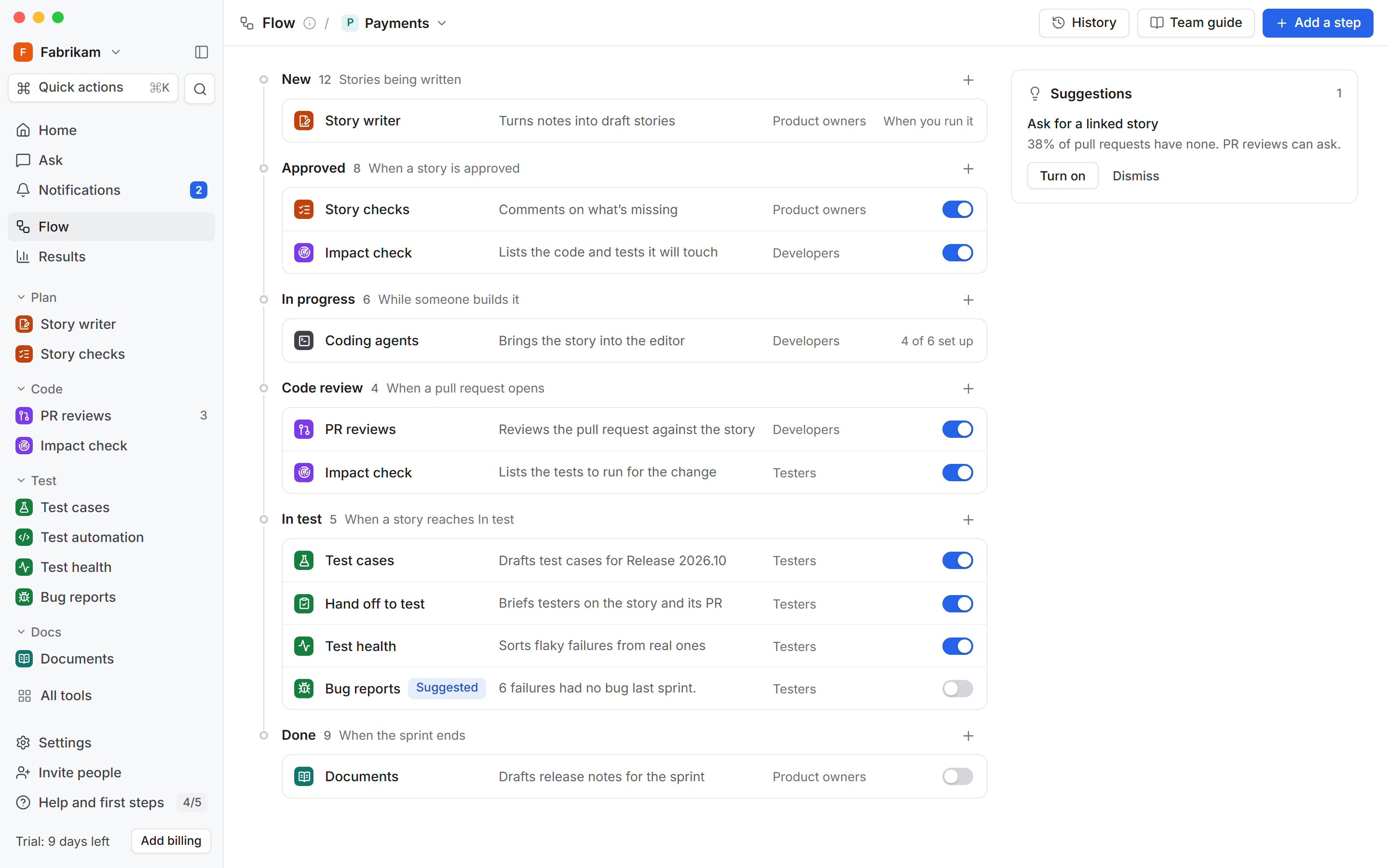
The Payments board at Fabrikam. Tom Becker, its team admin, manages this flow.
It posts checks and reviews as labeled comments and keeps its own team guide page up to date. Everything else waits for a person.
Checks and reviews post as comments labeled AI-drafted, each linking to the team guide.
Test cases, story edits and code change only when someone accepts them, under their own sign-in.
The team guide is the only page DevOps Studio edits by itself. Your edits there are kept.
Each team gets a page that says what runs, when, and what each role does. It changes when the flow changes.
After 2 sprints, each team sees before and after from its own Azure DevOps history. Team numbers only, never one person against another.
Payments at Fabrikam: the last 3 sprints against the 3 before it turned DevOps Studio on.
Start with one team. When it works, start the next one with the steps setup suggests.